

Ad scheduling in Google Ads – why is it worth it?
An ad schedule is a Google Ads feature designed to help advertisers reach their target audience more effectively and optimize their budget. In this article, we'll explore why and when you should use an ad schedule, and how to implement it into your advertising campaigns. We'll provide a step-by-step guide to help you get the most out of this powerful tool.
What is an ad schedule?
Ad scheduling in Google Ads provides advertisers with the ability to specify the exact times and days when their ads will be displayed. This feature allows for highly targeted ad delivery, ensuring that ads are shown when the target audience is most engaged.
Ad schedule functions
Ad schedules let us:
Ad scheduling - why should you use it?
We've established what an ad schedule in Google Ads is and its capabilities. Let's delve into the reasons why it's beneficial to implement one. By utilizing an ad schedule, we can:
💡 Examples of ad scheduling usage
How to set ad scheduling?
- Log in to your Google Ads account.
- Select the campaign you want to adjust.
- In the upper right corner, click on ⚙️ Campaign settings.
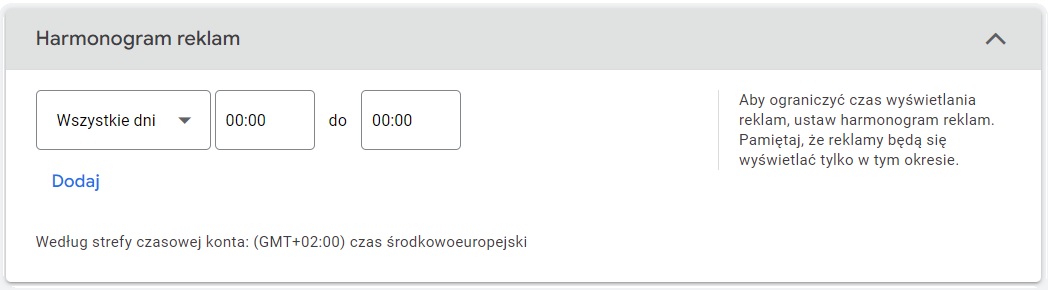
- Find the Ad schedule option.
- Set your preferred ad display times. Remember, the ad schedule is based on your account's time zone, so adjust it to match the time zone of your target audience.
- Save your changes. Your ad schedule is now set.
To sum up, Google Ads' ad scheduling feature is a valuable tool that enables advertisers to optimize their campaigns by tailoring ad display to specific times. This leads to improved campaign performance and a better return on investment.
➡️ Read also: When can a Google Ads account be suspended?
Check out our professional Google Ads course.

Jan Wojciechowski
Content Marketing Specialist
Content Marketing Specialist with several years of experience. Studied Marketing and Management on the University of Warsaw. In his work he tries to combine his writing skills, content knowledge and passion for new technologies. Privately he likes to do sports, read books and illustrate them.